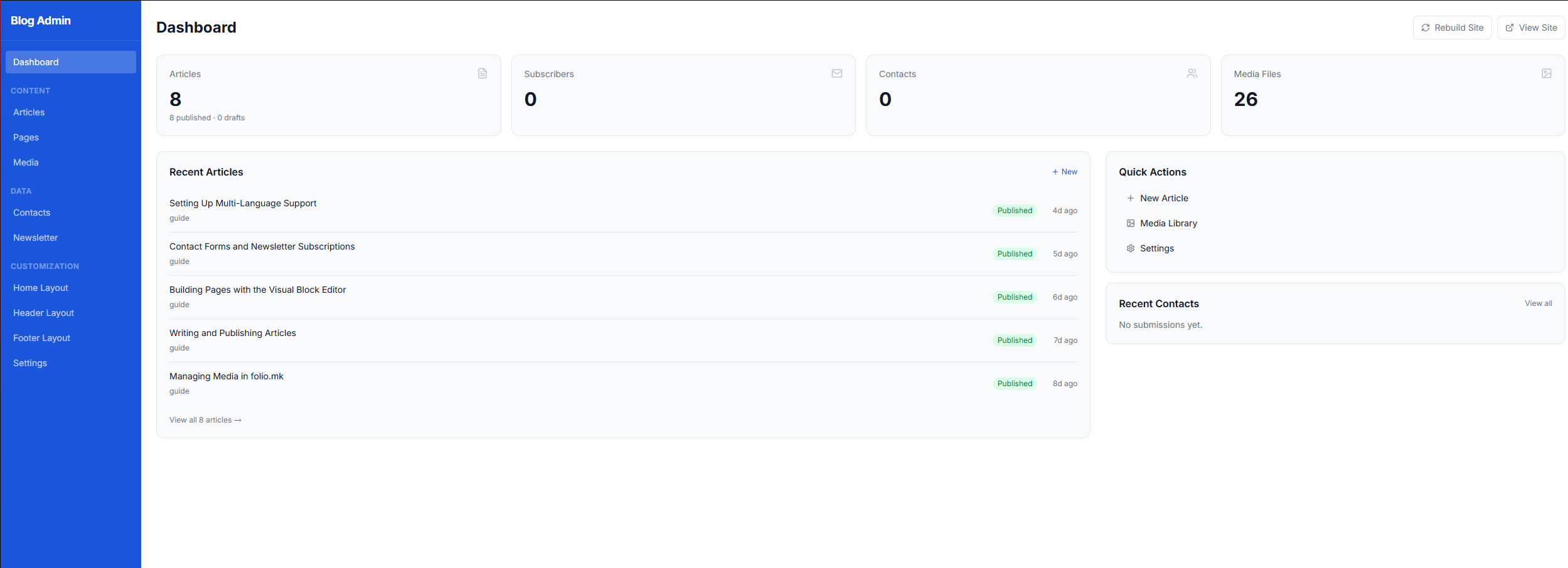
When you sign up for folio.mk you immediately get a live website at yourname.folio.mk, a free SSL certificate, and a ready-to-use admin panel. There is nothing to install and no server to configure — everything runs on managed European infrastructure.
The admin sidebar organises everything into three groups:
Content — Articles, Pages, Media
Data — Contacts, Newsletter subscribers
Customization — Home Layout, Header Layout, Footer Layout, Settings
Publishing your first article
Click Articles in the sidebar, then the blue + New button in the top-right corner. The editor opens in the language that is currently active — you can switch languages using the tabs at the top of the form (Македонски / English / Shqip).
Fill in the Title, a URL-friendly Slug (auto-generated from the title), and a short Excerpt that appears in article cards. Write the main content in the Body rich-text editor. On the right side-panel, set the Publish Status to Live, optionally add a Cover Image from the media library, and enter SEO metadata.
When you click Save, folio.mk automatically rebuilds the static site. Your article is usually live within a few seconds — no manual deploy step required.
Navigating the Settings
Go to Settings and work through the tabs in order:
General — site name, tagline, contact email, and base URL.
Navigation — the links shown in your site's main menu.
Footer & Social — social media profile URLs.
Theme — color palette, fonts, and border radii.
Languages — which languages are enabled and which is the default.
Translations — the translated labels for UI strings like "Read more" or "Subscribe".
Email — outgoing email configuration for contact form notifications.
After changing any setting, click Save & Rebuild to push the changes live.